A green uptime monitor does not mean leads are arriving: what to test on a business site every day, what the tools cost, and who should own the alert.
A website can pass every uptime check for a month while its contact form delivers nothing. The check sees a 200 OK response, which only means the server handled the request. It never asks whether your enquiry reached a person.
We meet this on sites we take over in Beirut and on platforms we run ourselves. On one client directory, several scripted visitor journeys broke after a round of content changes, and the uptime probe that should have caught it needed fixing too. That is why our web development work now ships with checks that behave like a customer, not a ping.
How can I check if a website is not working?
Open the site on mobile data, then submit its contact form and tap its WhatsApp button as a customer would. A free tool like UptimeRobot watches 50 monitors every 5 minutes, but it only confirms the server replies. A working business site is one where the lead arrives.
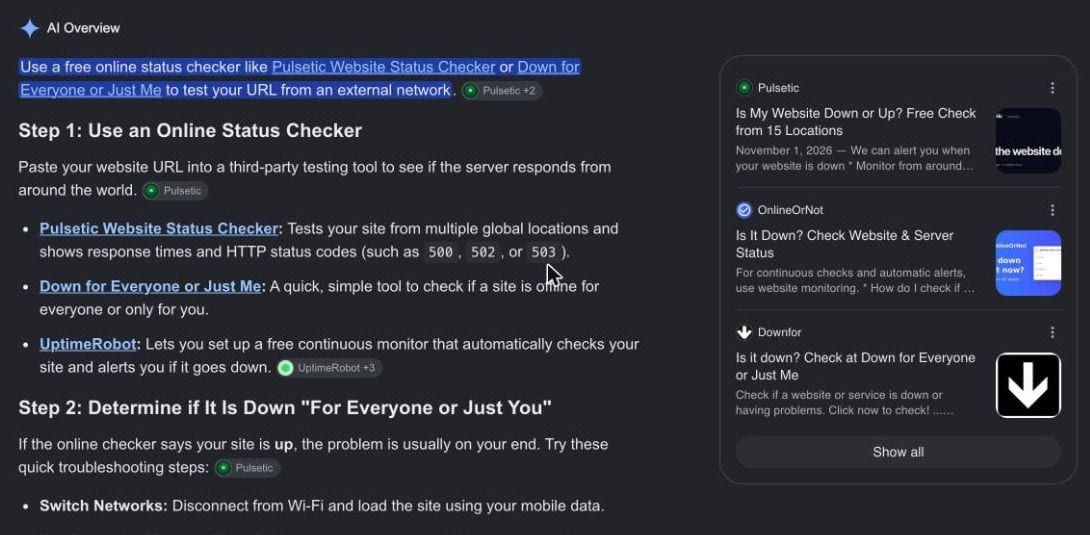
Google answers this question with status checkers. Every tool on page one tests whether a server responds from somewhere in the world. None of them fills in a form.
Why does a site show as up while enquiries stop?
Because an uptime monitor asks one question: did the server reply? It loads your homepage and waits for a 200 status code, which the page returns even when the form, the mail settings or the WhatsApp link behind it are broken. The monitor is honest. It is watching the wrong thing.
The failures we see most on Lebanese business sites are quiet ones:
- The form's mail sender loses its permission, so messages land in spam or disappear.
- A plugin or framework update renames a form field and the submit button does nothing.
- The WhatsApp button still points to a number the business stopped answering.
- The Arabic page throws an error while the English homepage, the one being pinged, loads fine.
- The language switcher drops a reader on the wrong page. We fixed exactly this on a client platform last week.
Large networks fail the same way. In its report on the 18 November 2025 outage, Cloudflare describes its network serving errors from 11:20 UTC, recovering for short periods, and only returning to normal at 17:06. A monitor checking every few minutes would have flapped between up and down for most of that afternoon.
Our website maintenance guide covers updates and backups. Monitoring is the part that tells you when those went wrong.
What should a Lebanese business site test every day?
Test the three paths that turn a visitor into a lead: the contact form, the WhatsApp button and the Arabic version of your main page. Each test should run in a real browser, fill the form, and confirm the message arrived. Checking that a button exists is not enough.
We write these journeys in Playwright, an open source browser automation tool, and run them in English and Arabic, at desktop and phone sizes. A journey is a short script that does what a customer does and fails loudly when any step breaks.
The list for a typical firm, clinic or agency site:
- Submit the contact form with a test address and confirm it reached the shared inbox.
- Tap the WhatsApp button and confirm it opens a chat with the right number.
- Load the Arabic page and confirm it renders right to left, with no error.
- Open the booking or quote page and confirm the final step loads.
- Read the certificate and domain expiry dates.
Most Lebanese firms run sales through WhatsApp and many skip Arabic entirely, which we measured in our audit of firm websites. If those two paths are your sales channel, they deserve a daily test.
How much does website monitoring cost?
Basic uptime monitoring is free, and checks that act like a customer start around $24 a month. UptimeRobot charges $9 a month, billed yearly, for 60 second checks with SSL and DNS. Checkly includes 1,000 browser check runs free and 3,000 on its $24 Starter plan.
| Option | Monthly cost | What it catches | What it misses |
|---|---|---|---|
| UptimeRobot Free | $0 | Server down, homepage errors | Forms, WhatsApp, Arabic pages |
| UptimeRobot Solo | $9, billed yearly | Downtime within 60 seconds, SSL and DNS | Anything after the first page load |
| Checkly Hobby | $0 | 1,000 scripted browser runs | Someone still has to write the scripts |
| Checkly Starter | $24, billed yearly | 3,000 browser runs, SMS alerts | Same: the scripts are the work |
| Agency maintenance plan | $50 to $300 | Scripts written, alerts read, fixes made | Only what the plan leaves unnamed |
Source: UptimeRobot pricing, Checkly pricing, Voxire website cost guide, read 2026-11-16
The run counts decide the plan. One journey checked every hour uses about 720 runs in a month, inside the free 1,000 on Checkly's pricing. Three journeys every hour use about 2,160, which needs the Starter plan. Daily checks of all three fit the free tier easily.
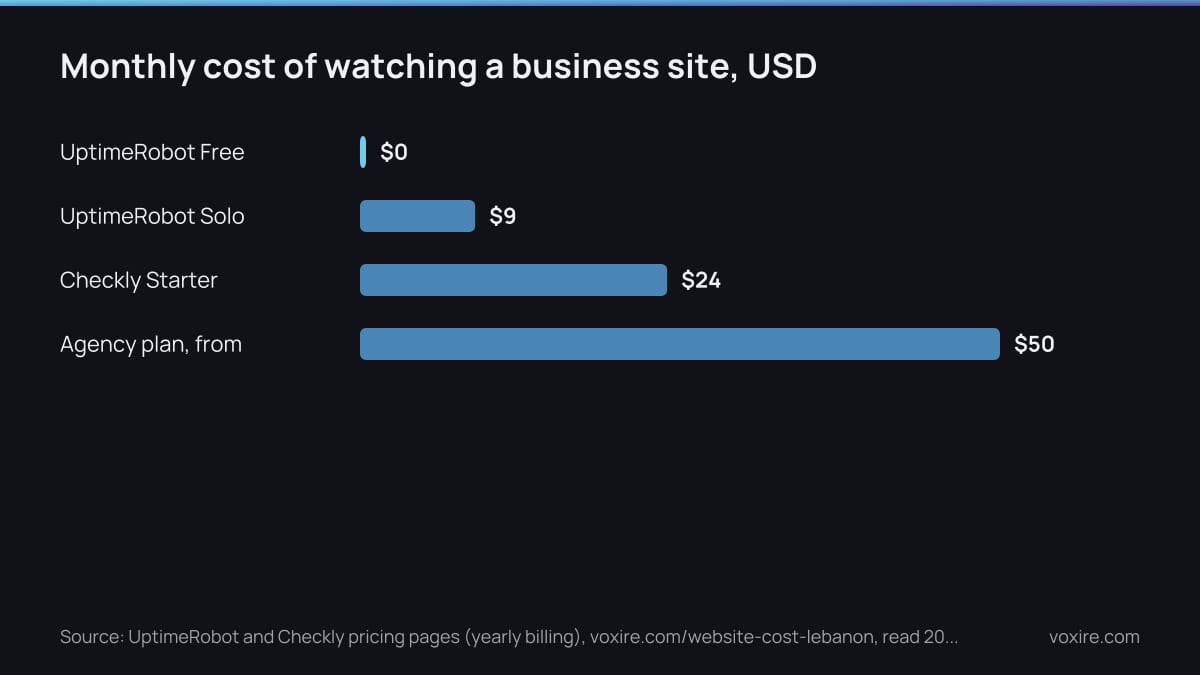
The tool is the cheap part. Writing the journeys, fixing them after each site change, and reading the alerts is the real cost, and it is why a maintenance plan costs $50 to $300 a month in our published price list.
How to tell if a website gets taken down?
A site is usually taken down by something billed once a year and forgotten: the domain, the hosting card or the SSL certificate. Expiry monitors warn you weeks ahead, and UptimeRobot includes SSL and domain expiry checks on its paid plans.
In Lebanon the usual cause is a renewal tied to a card that no longer works, or to the email of an employee who left. The renewal notices go nowhere, the site goes dark, and the first warning is a customer asking on Instagram. Put renewals on a company card and a shared address, and add an expiry monitor as the backstop.
Who should get the alert, you or your agency?
Both: the agency should act on the alert, and you should see it. An alert that lands in one developer's inbox at night protects nobody. Write down who receives it, who fixes it, and how fast they answer during working hours.
Google's SRE team treats reliability as a target, not perfection: a 99.99% availability target still allows 52.56 minutes of downtime a year. A small business site does not need that target. It needs to know within the hour when leads stop.
When we run a site on a maintenance plan, the journey checks and the alert routing are part of the job. The client gets a monthly line saying which checks passed and what we fixed.
What should you actually do this week?
Spend twenty minutes acting as your own customer, then decide who watches the site from tomorrow. Send yourself an enquiry, tap the WhatsApp button, open the Arabic page, and note the domain renewal date. If anything fails, you have your answer.
- Submit your own contact form from a phone on mobile data.
- Confirm the WhatsApp button opens the number you answer today.
- Add a free uptime monitor so you at least know when the server dies.
- Ask your developer which journeys they test and where the alerts go.
- Move domain and hosting renewals to a company card and shared inbox.
Sources
- MDN: 200 OK status code, read 2026-11-16
- UptimeRobot plans and pricing, read 2026-11-16
- Checkly pricing, read 2026-11-16
- Cloudflare: 18 November 2025 outage report, read 2026-11-16
- Google SRE book: Embracing Risk, read 2026-11-16
- Playwright documentation, read 2026-11-16
Want your form, WhatsApp button and Arabic pages tested every day?
We write the journeys, run them on a schedule, and fix what breaks before your customers find it. Send us your site and we will tell you which of the checks above it fails today.
Enjoying this article?
Enter your email and get a clean, formatted PDF of this article: free, no spam.
Voxire
Web Development
Custom websites, Next.js and React applications, and the engineering decisions behind sites that stay fast under real traffic. Core Web Vitals, headless CMS choices, migrations, and what performance work is actually worth paying for.
Learn more